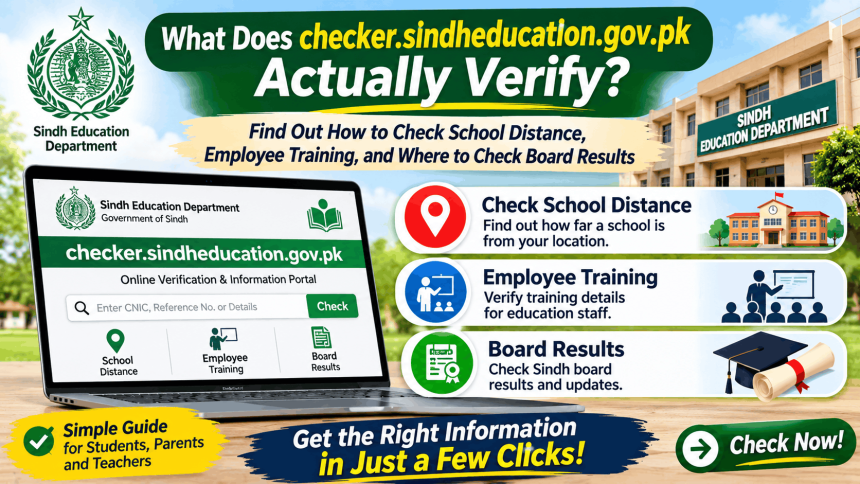
The checker.sindheducation.gov.pk website is an official tool run by the Sindh School Education & Literacy Department (SELD). It is not a portal for checking school exam results or board results. Instead, it is a set of internal verification tools used to check things like school distances, employee training records, and biometric data . If you are a student looking for your Matric or Inter result, you need to visit your specific board’s website instead.
What Can You Actually Check on checker.sindheducation.gov.pk?
The portal has several different “checkers” for official administrative tasks. Here is what each one does.
Online School Distance Checker
This tool helps you find the distance between two schools. You need the SEMIS Code (a unique code given to each government school) to use it. You can also find nearby schools within a certain range in meters. This is useful for administrative planning and school mapping .
Employee Training Checker
This checker lets you verify if a specific employee has completed a certain training program. You can search using the employee’s PID (Personal ID) or CNIC number .
Other Checkers Available
The portal also includes:
- Institution Checker: For verifying school data.
- Biometric Checker: For checking biometric verification status.
- Sanctioned SNE Checker: For checking sanctioned posts for Special Needs Education.
Important: These tools are meant for official department use. They do not show student results or personal SIM data.
How to Use the School Distance Checker (Step-by-Step)
If you are a school administrator or need to check distances for official work, follow these steps.
- Open your browser and go to checker.sindheducation.gov.pk.
- Look for the option “Find School Distance” or “Find Nearby School”.
- Enter the SEMIS Code of the source school.
- For “Nearby School,” set the range in meters.
- Click search. The tool will show the distance in meters .
Note: If you see an error or wrong data, the site advises contacting the IT Data Center, SE&LD through the proper official channel. Do not try to fix it yourself .
Where to Check Sindh Board Exam Results (Matric & Inter)
Many people land on the checker portal by mistake when looking for results. Here is the correct place to go.
Sindh board results are handled by separate boards, not the SELD checker portal. You must visit the website of your specific board:
- Karachi (Matric): BSEK (Board of Secondary Education Karachi)
- Karachi (Inter): BIEK (Board of Intermediate Education Karachi)
- Hyderabad: BISE Hyderabad
- Sukkur: BISE Sukkur
- Larkana: BISE Larkana
- Mirpurkhas: BISE Mirpurkhas
For example, BIEK Karachi has an official Android app and an SMS service. You can send your roll number to 8583 to get your HSC Part-II result via SMS . The Sindh government has also announced that Matric results are usually declared by July 10 and Intermediate results by July 31 .
Common Problems and Troubleshooting
Problem: “The checker page is not loading.”
Solution: The portal may be down for maintenance. Try again later. It is an administrative tool, not a high-traffic public website.
Problem: “I don’t have a SEMIS Code.”
Solution: SEMIS codes are for schools. If you are a parent or student, you likely do not need this tool. If you are school staff, ask your head teacher or the district education office for the code.
Problem: “I entered my CNIC but it says ‘not found’ for training.”
Solution: This means the training record is not linked to your PID/CNIC in the system, or the training was not entered by the department. Contact your district office to have the record updated .
Problem: “I need my board result, but the checker site has nothing.”
Solution: This is expected. The checker site is for school administration, not board exams. Go to your board’s website (BSEK, BIEK, etc.) as listed above.
FAQs About Checker Sindheducation Gov PK
What is checker.sindheducation.gov.pk used for?
It is an official administrative portal for the Sindh School Education Department. It is used to check school distances (via SEMIS code), employee training records, and biometric data .
Can I check my Matric result on this checker portal?
No. This portal does not display board exam results. You must visit your specific Sindh board’s website (like BSEK for Karachi Matric or BIEK for Karachi Inter) .
What is a SEMIS Code?
SEMIS (Sindh Education Management Information System) Code is a unique identification number assigned to every government school in Sindh. It is needed for the School Distance Checker .
How do I check my training status as a Sindh teacher?
Go to the checker portal and use the Employee Training Checker. Enter your PID or CNIC number to see your completed trainings .
Is this website for students or for school staff?
It is mainly for school staff, administrators, and education department officials. Students and parents generally do not need to use it, unless they are helping a school with administrative wor