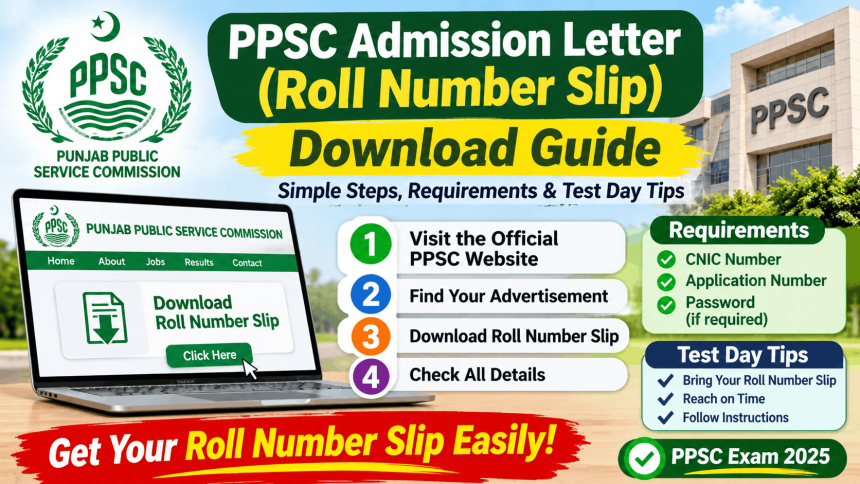
The PPSC admission letter is the official document you must print from the Punjab Public Service Commission website to enter your test centre. PPSC does not send it to you by post or email. You have to download it yourself from ppsc.gop.pk using your CNIC number and the post you applied for . Without a printed copy, entry to the exam hall is refused .
What Is a PPSC Admission Letter?
PPSC uses the term “admission letter” for what many candidates call a roll number slip. It is the same document. It contains your roll number, CNIC, test date, time, and the exact address of your test centre .
You need this letter for written tests, screening tests, and sometimes interviews. PPSC uploads these letters collectively on its website. No candidate receives an individual letter .
When Does PPSC Upload the Admission Letter?
There is no fixed date for all tests. PPSC usually uploads admission letters 7 to 14 days before the test date . The exact timing depends on the specific exam schedule.
PPSC follows a notice timeline:
- A tentative test schedule appears on the website at least 7 days before the test .
- SMS and email are sent to candidates, preferably 5 days before, telling them to download the slip .
- A reminder comes 3 days before the test .
Important: Do not wait for an SMS. Check the PPSC website yourself. PPSC says candidates are responsible for checking the website .
What You Need to Download the Admission Letter
You need two things to print your letter:
- Your 13-digit CNIC number, entered without dashes or spaces .
- The post you applied for, selected from a dropdown list on the website .
You do not need to log in or create an account. The link appears once your exam is scheduled .
Step-by-Step: How to Download Your PPSC Admission Letter
Follow these steps exactly.
- Open the official website: Go to ppsc.gop.pk. This is the only authorized source. Do not use unofficial websites or social media links .
- Find the admission letter link: Look for “Print Admission Letter” on the homepage or in the menu. It is usually visible when slips are available .
- Enter your CNIC: Type your 13-digit CNIC number without dashes. Example: 3520112345678 .
- Select your post: Choose the specific post or case number you applied for from the dropdown menu .
- Click Proceed: Your admission letter will appear on screen.
- Print the complete document: PPSC advises printing on legal-size paper (8.5 × 14 inches). The letter may be more than two pages. Print all pages .
- Save a digital copy: Keep a PDF on your phone as a backup, but bring the printed copy to the test .
What to Bring on Test Day
PPSC is strict about entry requirements. Missing any item can stop you from sitting the exam.
Mandatory items:
- Printed admission letter: Without it, entry is refused .
- Original, valid CNIC: This is checked at the gate .
What NOT to bring:
- Mobile phones (even switched off)
- Smart watches or electronic devices
- Bags, books, or notes
Note on expired CNIC: If your CNIC is expired, PPSC may allow entry if it expired within the last six months, or if you bring a valid passport or computerized domicile with photograph. This is provisional and you must produce a valid CNIC at the interview stage .
Common Problems and Solutions
Problem: “My admission letter is not showing on the website.”
Solution: Your exam may not be scheduled yet, or the letter has not been uploaded for your specific post. PPSC uploads letters by post, not all at once. Check the Examination Schedules page to see if your test date is listed. If the test is listed but your letter is missing, wait a day and check again .
Problem: “The website says ‘no record found’ when I enter my CNIC.”
Solution: Check that you entered all 13 digits correctly, with no dashes or spaces. Also confirm you selected the correct post. If you applied for multiple posts, each has a separate admission letter .
Problem: “My name or CNIC is wrong on the letter.”
Solution: Do not try to edit the document yourself. Bring your original CNIC to the test centre and inform the invigilator before the test starts. They can note the correction .
Problem: “I lost my admission letter after printing.”
Solution: You can download and print it again from the PPSC website as long as the link is still active. Do this before the test date. There is no fee for downloading .
Problem: “I received no SMS or email from PPSC.”
Solution: PPSC says it does not inform candidates individually. SMS and email are courtesy reminders, not guarantees. The website is the only reliable source. Check it yourself at least once a day as your test date approaches .
FAQs About PPSC Admission Letter
Is the PPSC admission letter the same as a roll number slip?
Yes. PPSC uses “admission letter” in official instructions, while candidates commonly say “roll number slip.” They are the same document .
Does PPSC send the admission letter by post or email?
No. PPSC uploads it on the website only. You must download and print it yourself. No individual letters are sent .
What is the fee for downloading the PPSC admission letter?
It is free. There is no charge to download or print the letter from the PPSC website. Never pay anyone for a roll number slip .
Can I use the admission letter on my phone instead of printing it?
No. PPSC requires a printed copy for entry. A digital copy on your phone is not accepted .
What if I don’t have a printer?
You can save the PDF to your phone and take it to a shop or printing facility. Print it at least one day before the test, not on the morning of the exam, in case of website issues .